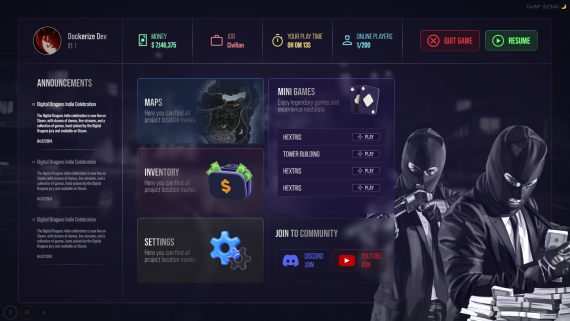
[Standalone] Loading Screen Creator — Drag & Drop Editor, No Coding (Escrow)
48.30 EUR
24.15 EUR
Package Description
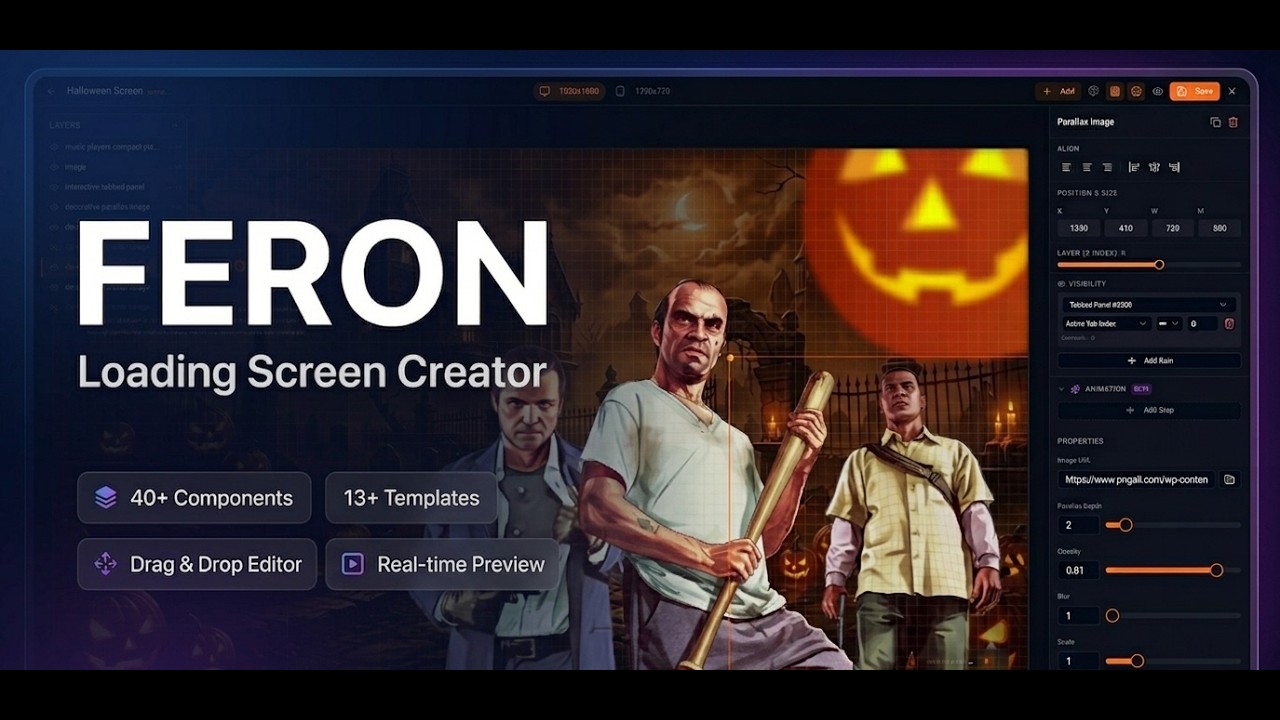
Watch the video on YouTube
The most powerful and flexible loading screen creator for FiveM. Build stunning, professional loading screens in minutes using a visual drag & drop editor — no coding required. Choose from 13+ ready-made templates or start from scratch with 40+ components. Fully standalone, works with any framework.
Features
- Visual Drag & Drop Canvas — 1920x1080 reference canvas with snap-to-grid, resize handles, and layer ordering.
- 40+ Components — Music players, navigation bars, tab panels, text blocks, containers, images, progress bars, visual effects, and more.
- 13+ Pre-Built Templates — Dark, neon, minimal, modern, seasonal, and roleplay themes ready to use and customize.
- Real-Time Preview — See your changes instantly as you build.
- Responsive — Automatic compact breakpoint (1280x720) calculated from your desktop layout.
Music Players
6 Unique Player Styles:
- Glass Player — Large frosted glass design with album art.
- Box Player — Compact corner card with controls.
- Horizontal Bar — Sleek bottom bar spanning full width.
- Neon Player — Cyberpunk-themed with glow effects.
- Compact Player — Small circular floating player.
- Minimal Player — Medium-sized clean design.
- All players support YouTube, direct MP3/audio URLs, and customizable colors.
Interactive Components
- Navigation Bars — Horizontal tab navigation with radio or toggle behavior.
- Tabbed Panels — Self-contained panels with multiple tabs for organizing content.
- Modal Overlays — Fullscreen frosted glass panels triggered by navigation.
- Toggle Toolbars — Icon-based toggle buttons with variable emission for visibility rules.
- Visibility System — Show/hide any component based on which tab or button is active.
Content Components
- Rich Text Blocks — Heading, subtitle, and body text with full style control.
- Flex Containers — Glass, solid, or gradient cards/boxes for grouping content.
- Server Rules Display — Formatted rules cards with numbering and icons.
- Staff Showcase — Display your team with avatars, names, and roles.
- Social Links — Discord, YouTube, TikTok, Twitter, Instagram, and more.
- Image Support — Upload custom images or use URLs. Parallax mouse-reactive images available.
- Background Slideshows — Full-screen rotating images or videos with transition effects.
Visual Effects & Progress
- Particle Effects — Floating particles, glow overlays, and animated tickers.
- Decorative Elements — Dividers, bars, and accent blocks for polish.
- Progress Bars — Basic progress bar and pill-badge style with spinner animation.
Shared Content System
- Edit Once, Update Everywhere — Set your server name, logo, description, and social links in one place. Every component that uses shared content updates automatically across all your screens.
Technical
- Fully Standalone — No framework dependency. Works with QBCore, ESX, or any setup.
- Save & Realtime Show— All designs saved server-side in data.json.
- Image Upload — Upload images directly through the editor, stored in the images/ folder.
- Escrow-Friendly — Your data.json, design files, shared content, and uploaded images are NOT encrypted. Your designs are always yours.
- Optimized — Lightweight UI build, minimal resource usage.
Requirements / Frameworks
Framework: Standalone
Installation & Support
Installation
- Extract to your resources folder
- Add "ensure feron_loadingScreenCreator" to server.cfg
- Restart server and join
- Use /screen-creator command to open the editor
- Drag, customize, save — done!
Documentation: https://feron-scripts.gitbook.io/welcome/scripts/loading-screen-creator
Support via our Discord
Updates
- Free updates for this resource

 Afrikaans
 Catalan
 Czech
Czech
 Danish
 German
 Greek
Greek
 English (UK)
 English (US)
 Spanish
 Finnish
 French
 Croatian
 Hungarian
 Italian
 Japanese
 Korean
 Latvian
 Malay
Malay
 Dutch
Dutch
 Norwegian
 Polish
 Portuguese (Brazil)
 Portuguese (Portugal)
 Romanian
 Russian
 Serbian
 Swedish
 Turkish
 Ukrainian
 Vietnamese
 Chinese (Simplified)
 Chinese (Traditional)